
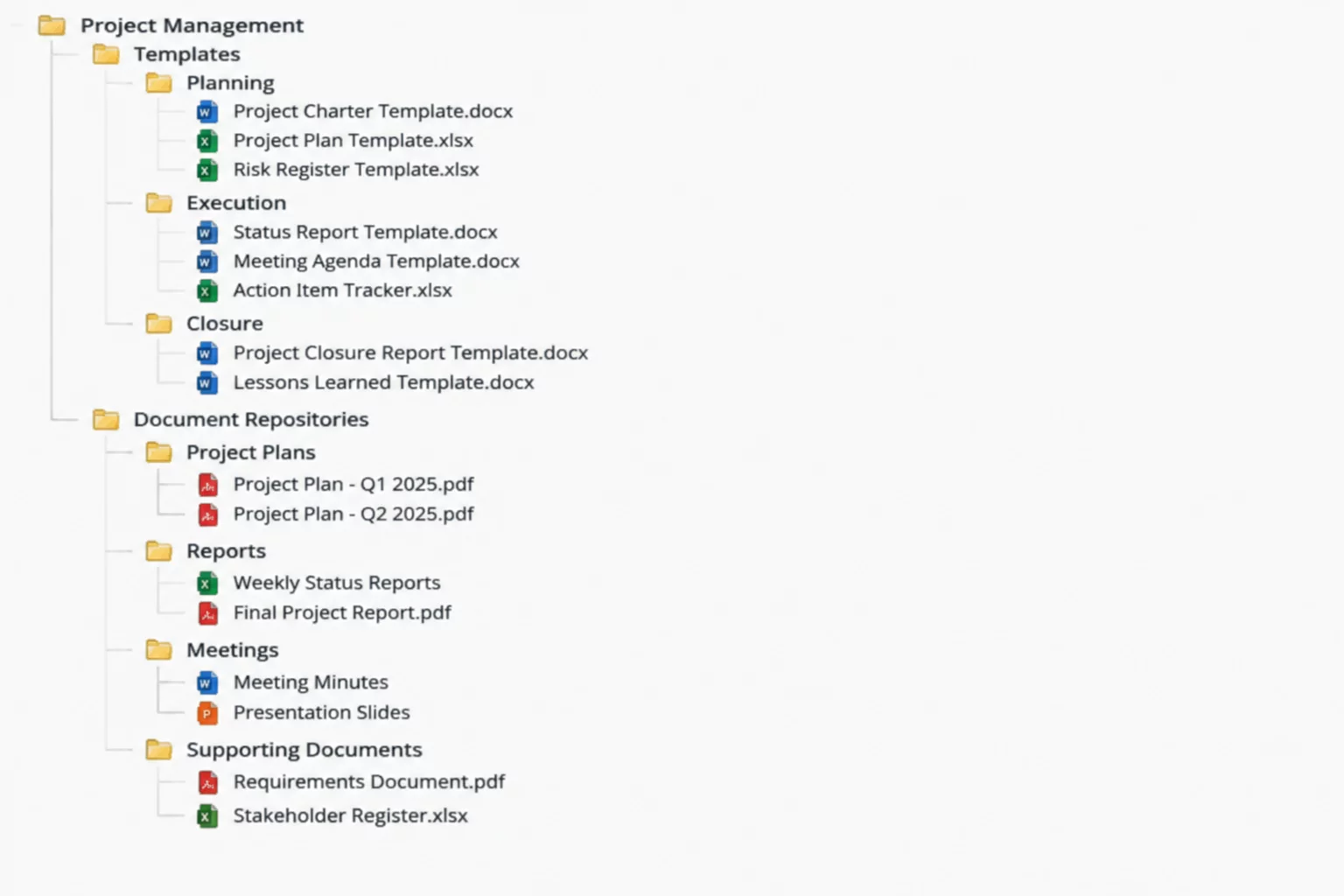
Managing extensive file archives across concurrent professional services engagements requires deterministic folder topology. Within enterprise project suites like projectfacts, tree-structured directory templates eliminate manual folder creation, preventing ad-hoc nomenclature drift and ensuring regulatory document retention from the initial project initialization phase.
Hierarchical Branching and Automated Template Instantiation
When an organization initiates a customer project or internal work package, the underlying file repository immediately receives a preconfigured directory schema. Instead of leaving folder creation to individual team members, projectfacts deploys an immutable root template that generates standardized tiers for legal agreements, design deliverables, technical specifications, and invoicing records. Each subdirectory node carries pre-assigned metadata flags and classification attributes that integrate with central search indexing engines.
Inheritance mechanisms govern how security policies cascade down the tree branch. Root containers define baseline security clearances, while subordinate operational nodes allow designated contributors to upload working drafts without obtaining visibility into confidential billing ledgers or client master service agreements located in adjacent sibling folders.
- Zero-click template scaffolding instantly generates predefined folder tiers upon milestone approval.
- Dynamic namespace tokens automatically inject client identifiers, budget cycles, and engagement codes into directory paths.
- Granular privilege inheritance prevents unauthorized structural alterations by team members holding standard editor roles.
Standardized directory templates transform messy document storage into an auditable knowledge graph, guaranteeing immediate compliance without burdening technical teams.
Lifecycle Archiving and Storage Synchronization
Long-term repository efficiency depends on how tree templates behave as deliverables cross formal completion thresholds. Once a project reaches financial closing, projectfacts directory automation shifts mutable folders into an immutable archive state. This transition locks document modifications, produces verifiable checksum manifests for every stored artifact, and prevents orphaned work files from consuming high-tier transactional cloud storage.
System administrators can link projectfacts directory templates directly with cloud object stores or on-premise network shares via secure WebDAV and REST endpoints. By establishing strict tree patterns upstream, cross-departmental stakeholders, external auditors, and automated data governance scanners navigate folder hierarchies with complete predictability.
Directory Template Implementation FAQ
Yes. Templates support modular branch attachments. Core nodes such as contracts, billing, and deliverables remain standardized company-wide, while specialized engineering or marketing subtrees can be linked dynamically based on the project type selected during setup.
Directory templates use built-in variable tokens including project code, customer acronym, and fiscal year. When a project is created, projectfacts resolves tokens automatically, generating uniform path labels like '2026_PRJ-409_Specifications' without requiring manual renaming.
Administrators can configure strict write barriers at root and Tier-1 levels. Team contributors retain upload permissions inside existing destination folders, but template integrity locks prevent the creation of unapproved top-level folders that disrupt directory taxonomy.